Custom Admin Panel Planning in Lucknow
Plan custom business software in Lucknow with clear workflows, staff roles, reports, data migration and backups. A practical admin panel guide.
A custom admin panel is useful when important work is spread across spreadsheets, messages and repeated manual entry. The goal is not a colourful dashboard. It is a reliable way for the right person to complete a task, correct mistakes and understand what happened.
For a Lucknow business handling enquiries, bookings, fees or product orders, start by mapping the work before choosing software. This guide explains how to scope a manageable system and avoid creating a dashboard that looks impressive but leaves the daily process unchanged.
Find the workflow that causes repeated friction
Choose one recurring problem: missed follow-ups, conflicting records, stock corrections or unclear payment status. Ask staff to show the current process, including exceptions. Write down which information is copied, where decisions happen and who is responsible.
A hypothetical training centre might receive an enquiry, assign counselling, record admission and track fees. Those stages need clear states and ownership. Combining everything into one free-text notes box makes reporting difficult later. This is a planning example, not a claimed Appluk case study.
Define records before screens
Describe the core entities in plain language: customer, enquiry, order, payment, task and staff member. Decide which identifiers remain stable and which fields can change. A customer's phone number, for example, may change; it should not be the only way to connect every transaction.
Avoid storing monetary values or dates as loosely formatted notes when the system must calculate or filter them. Ask the developer how corrections, duplicates and exports will be handled. Good data structure makes the interface easier to maintain.
Give each role the access it needs
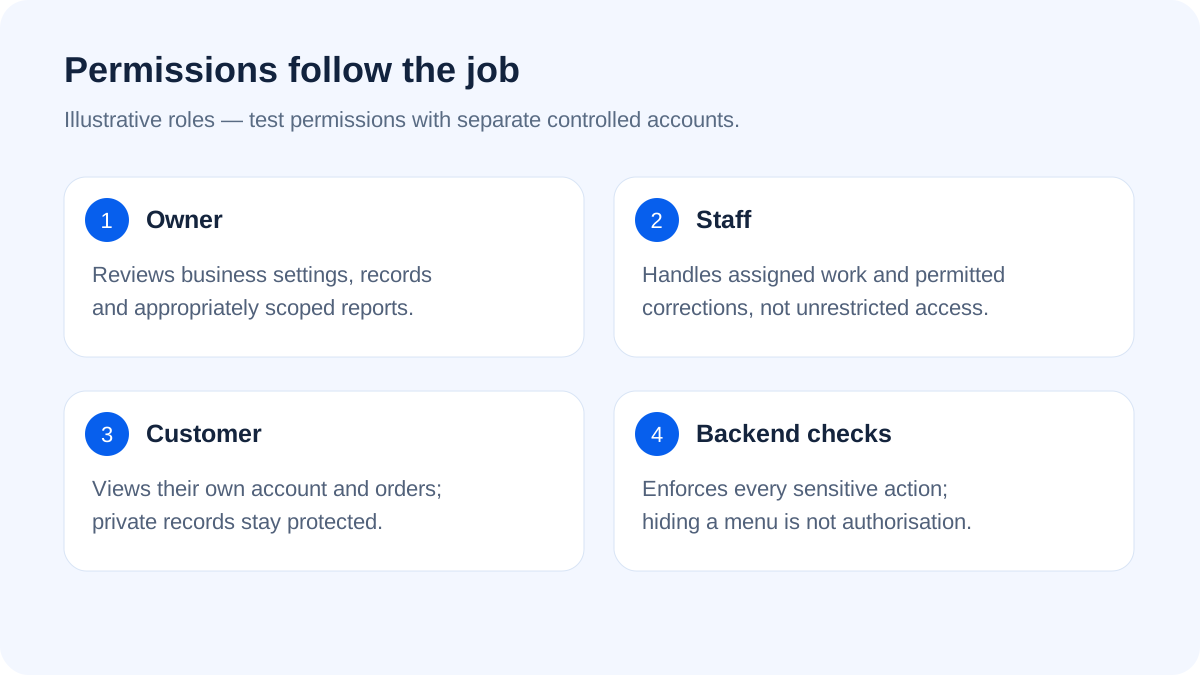
An owner may need reporting and settings. Staff may only need assigned enquiries. A creator may need to manage their own products. These distinctions must be enforced by the backend, not only by hiding menu buttons.
- List which records each role may read.
- List which actions it may create, edit, approve or archive.
- Separate payment submission from payment verification.
- Keep important edits attributable to a user and time.
- Test access using separate controlled accounts.
A support employee should not receive database-wide access merely to correct a customer's address. Permissions should follow the job.
Decide what happens when information is wrong
Mistakes are normal: duplicate leads, an incorrect amount, a cancelled booking or a departed staff member. The system needs a deliberate correction process. Deleting a record may be appropriate in some cases, but silently removing financial history can create reconciliation problems.
Document status changes and who may perform them. For payments, distinguish pending, verified, failed and refunded states where those states apply. Reports should use the underlying transaction data consistently rather than an editable headline total.
Make reports answer a business question
Start with questions such as: which enquiries have no follow-up, which orders await verification, and which tasks are overdue? These questions are more useful than asking for ten charts on the homepage.
A report should explain its date range, included states and any exclusions. If two screens display different totals, staff need a way to understand why. Export formats should be practical for the owner, with sensitive fields limited to authorised roles.
Plan backups as a restore process
A database backup alone may not contain uploaded invoices, PDFs or images. A complete recovery plan can require source, configuration, database and files, along with access to external providers. Keep private material outside the public website directory.
Ask someone to restore a copy in a separate environment and verify records and attachments. A downloaded archive that has never been opened or restored is an untested assumption. Do not make the production database read-only in the name of security; normal business writes must continue under appropriately restricted permissions.
Integrate carefully with your website or app
One shared backend can prevent duplicate records across a public form, mobile app and admin panel. However, integrations need documented ownership and error handling. What happens if an enquiry email fails after the record is saved? Which system is authoritative?
If your plan includes an app, read Android app versus mobile website planning. If it includes product orders, our ecommerce planning guide covers the customer side of the workflow.
Evaluate custom software against existing tools
An existing CRM or booking product may already solve the problem. Compare required workflows, export access, permissions, ongoing fees and maintenance effort. Custom development is more useful when the process genuinely differs or integrations justify the work.
Start with a documented first phase. Import a sample of existing data, test realistic tasks and agree what staff training includes. Avoid moving all records into an unfinished system without a reversible migration plan.
Appluk can discuss custom workflows through its app and business application service. Send a process outline with user roles, current tools and the task you want to improve. Scope and support responsibilities should be agreed before development.
Frequently asked questions
Is an admin panel the same as a CRM?
Not necessarily. A CRM focuses on customer relationships and sales workflows. An admin panel may manage content, products, users or operations; its purpose depends on the application.
Can staff use it on a phone?
Yes, if responsive screens and the actual mobile tasks are part of the scope. A desktop table simply squeezed onto a phone is rarely sufficient.
Can we import our existing spreadsheet?
Often, but the data must be checked for duplicates, missing values and inconsistent formats. Test a sample import first and keep the original export safely.
Can it work with our public website?
It can share records through an appropriately protected backend. Define what the public website may read or submit and what remains private.
How do we reduce dependency on one developer?
Keep account ownership, source, documentation, exports and tested backups under business control. Agree a handover and maintenance process rather than relying on a verbal promise.
Further reading
OWASP database security guidance describes restricted access and private credentials. Source checked on 18 October 2026.